Parallax
Parallax is a Medievia client rather than a general purpose mud-client. It is tailor built from the ground up specifically to play Medievia with up to 9 characters. Each tile representing one of your characters is a separate console window that can be clicked through to view their console. You can control your main form with detached characters assisting separately in sitter mode. A macro builder that can send to one or many characters with a single keypress. A queue viewer to see what spells and actions are lined up for each of your characters. A knowledgebase and tracker built-in to the client to help with navigating Medievia. A LUA scripting engine for anything I didn't build into the base client.
I have taken the opportunity to enhance the experience wherever I can by adding graphics, such as character portraits, inline image sharing, weather and spell effects. The zone pages feature lush, AI-generated artscapes based on the actual in-game zone descriptions.

Layout
Focus on one, keep an eye on all nine
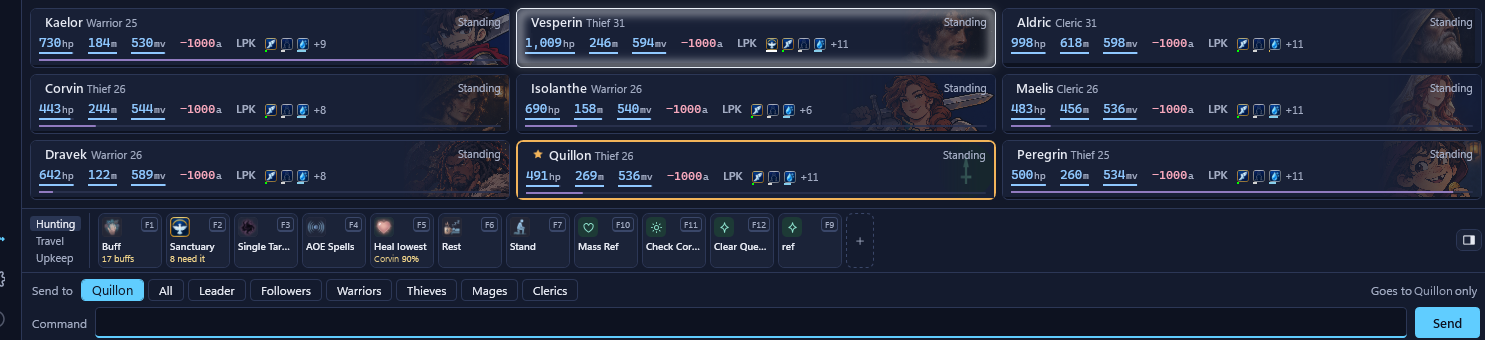
The character you're playing fills the console, with all nine in tiles below it: click a tile and you're on that character's console. Under the tiles, the macro bar and the Send to bar aim every command at one character, a group, a class or the whole party.
Comms, Combat, the command queue and the map dock at the side, and every drawer (characters, scripts, knowledge, tools) opens over the console without a separate window.
The party at a glance
Every tile tells you who needs you
Hit points, mana and moves, the buffs that matter, the opponent's health, and whether a character is sneaking, apart from the leader, hungry or thirsty. Sanctuary, fireshield and iceshield glow around the tile, and a character under a quarter of its hit points turns red.
Make them yours
- Seven tile styles Classic, Forged Steel, Arcane Glass, Illuminated Codex, Gothic Reliquary, Pixel Dungeon, Tactical Terminal
- Four vitals layouts bars, numbers, HP first or a readout
- Portraits a badge, a medallion with a hit point ring, or a backdrop behind the tile
- Your own art for each character, framed by dragging and zooming; the class emblem until you add some
- Seven themes colour the rest of the window, and Classic tiles follow them


Knowledge
It learns Medievia while you play
Parallax keeps what your characters see: every mob with its zone and drops, every item with the rolls and stats that identify and appraise show, every zone with its levels, designers and storyline. Survey lines name the zone they point at. Nothing is typed in by hand.
What you learn can go to this site, so the whole community's knowledge grows with every party out there.


Inventory
What all nine are carrying
Parallax remembers every character's gear as it last saw it: each worn slot, what's carried, what's inside each bag and what's in the locker, with rolls and condition. Search once and every character holding a match is listed, logged in or not.
Right-click an item to give it to another character, wear it, put it in a bag or the locker, identify it, or link it in chat.
Gold is tracked the same way: carried and banked for each character, the party's total, and what you've made or lost this session.


The console
The numbers the game leaves out
Damage verbs get their range beside them, a monster's condition gets its health percent, and survey distances get their range in rooms.
When a fire storm, a magic storm, a wasp swarm or a lightning storm rolls in, the top of the console shows it. Sanctuary and the shields glow at the edges.


Rich media
Pictures, GIFs and stickers beside the text
Images, GIFs, YouTube links, polls and dice rolls posted on the Parallax hub land in a column beside your console, framed in red, and fade after a few seconds unless your mouse is over them. A red line in the text marks each one, so a click brings back anything you missed. Mudlet players on the hub get a plain link.
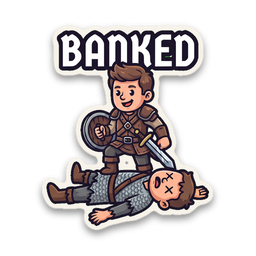
And 21 animated Medievia stickers, GZ, RIP, Banked and Iced among them, for no real reason other than I thought it would be super cool.


Commands
One key, every character
If you've multiplayed with MultiBot, the command line already knows you: +look goes to everyone, -look to everyone but the character you're on, -mage cast 'armor' to the mages, -Kade rest to Kade alone, #3 e walks east three times, and ;; chains commands. Each character's own aliases apply, so heal can mean a different spell for each of them.
Macro buttons and hotkeys send to the whole party at once: the preview shows what each character would send if you pressed it now.

Scripts
Lua when you want more
Aliases, triggers, hotkeys, event handlers and timers, each aimed at every character, a class, a group or one name, with the Lua editor beside them. The built-in aliases are listed in the same place, so you can see exactly what +, - and # do.

Helpers
A page for each of Medievia's chores
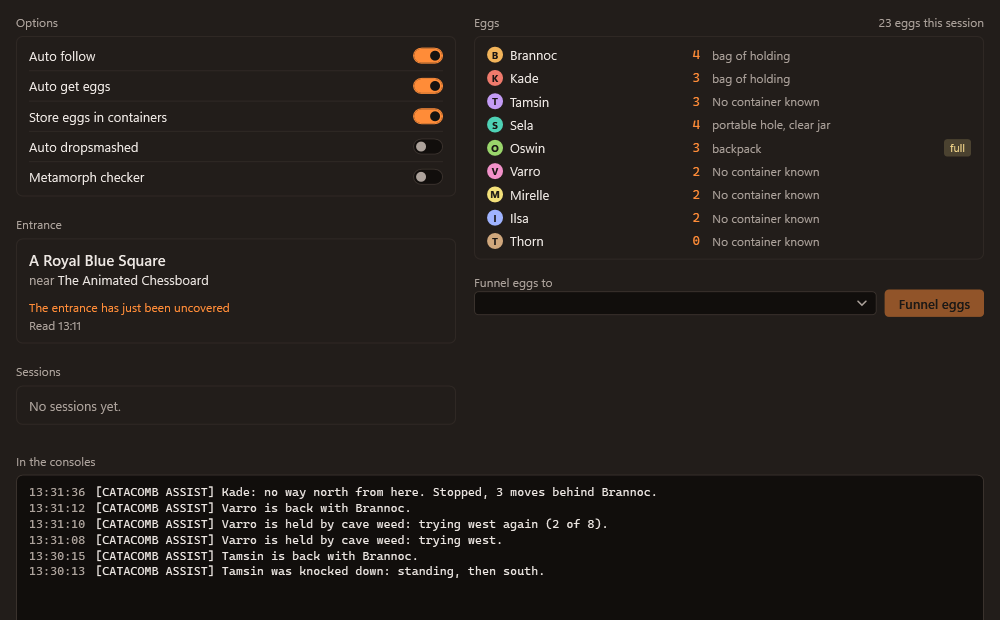
The Tools drawer has a page for the jobs that eat an evening: the catacombs, trade runs, clan shop shopping and autoquests, plus the fae orb, the zone scanner and Under Ocean.
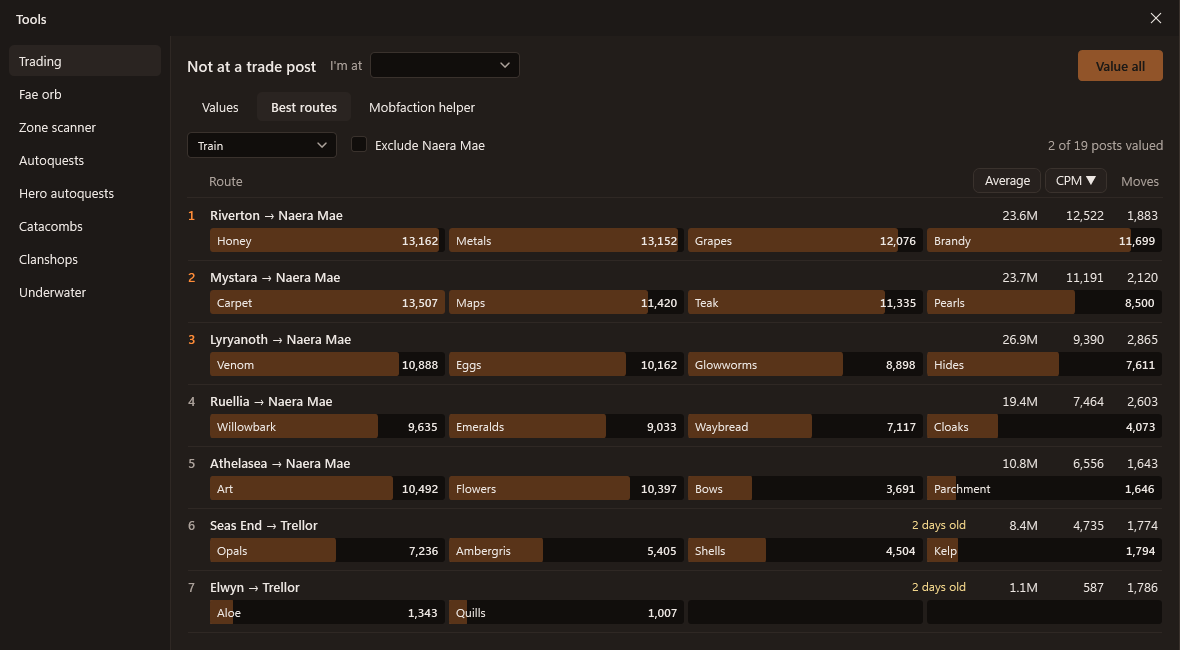
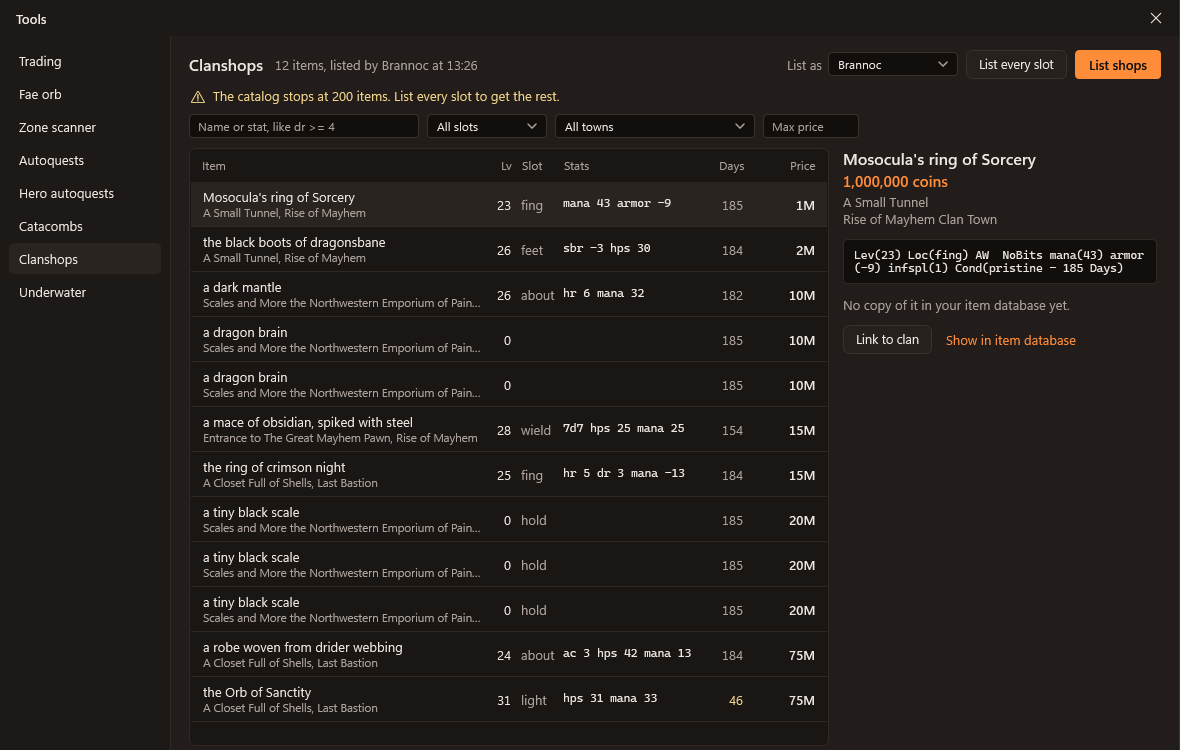
dr >= 4), slot, town and price.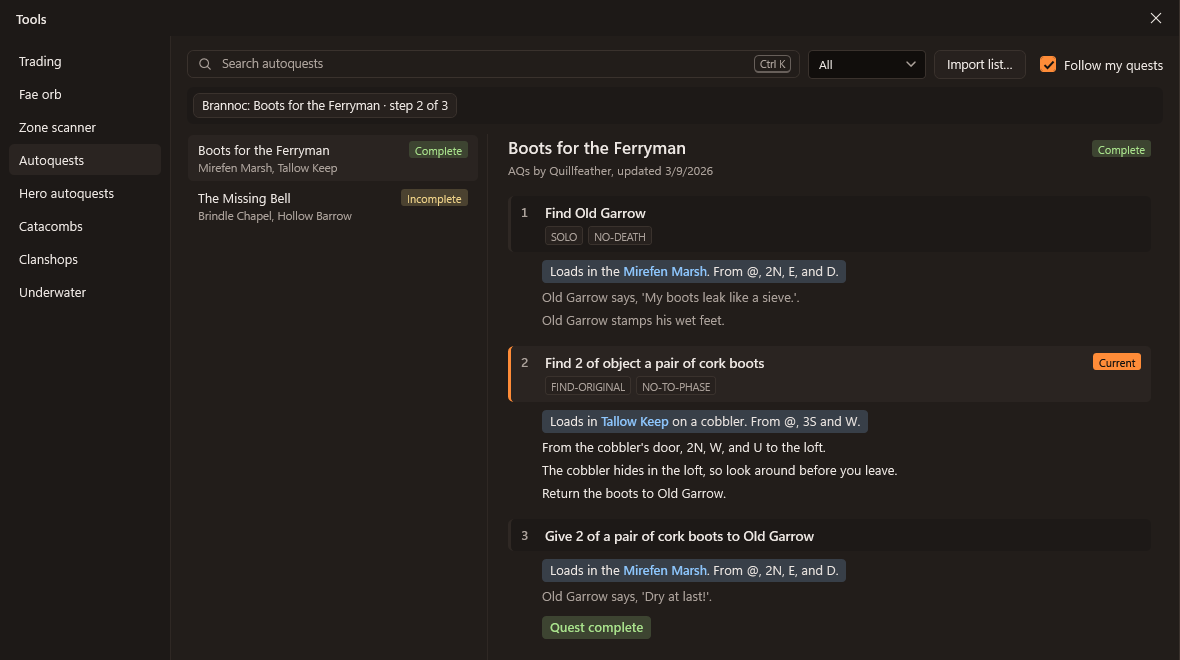
Automation
- Smart heal and top-off for the clerics
- Auto rescue by the healthiest warrior
- Keep sneaking first thing after every fight
- Auto buff while nobody is fighting
- Follow the leader and find the way back after a resurrection
- Eat and drink when hungry or thirsty
- Lua scripting aliases, triggers, keys, events and timers
- A macro bar one button for the whole party
Every automation is off until you switch it on, and one key pauses them all. Parallax never anti-whisks: nothing is sent to a character that has gone idle or into the void, by any automation or script.
Tools
- Trading helper with the best routes between trade posts
- Fae orb calculator with the days to the next eclipse and new moon
- Autoquests AQ and HAQ lists, searchable
- Catacombs eggs, the carry limit and following through
- Game map with your characters on it
- Under Ocean radar position, depth and facing
- Zone scanner and Fight prep for the bosses you're after
- Help, news and announcements searchable without asking the game
- MMCP chat with other players, Mudlet users included
Bring the whole party
Parallax installs for your Windows user, with no administrator rights. Updates download in the background and install when you restart.
Parallax was written entirely with Claude Code, using Claude Opus 5.5.